There was an issue accessing a TrueNAS device over the VPN. The VPN was assigning an Ip Address outside the network available to the TrueNAS host. In my case:
- VPN assigned IP address is in range 172.16.0.0/24
- Network for TrueNAS is in range 10.0.0.0/16
Since the VPN address is outside the range of the CIDR block for the TrueNAS ip address subnet, TrueNAS sends any reply through its default gateway, which has no route back to the VPN client range. The request arrives, but the response never finds its way back. To fix this, tell TrueNAS to route VPN traffic through the LAN gateway by adding a Static Route. To add a Static Route, expand the Network tab in the left hand menu and select Static Routes in the menu.
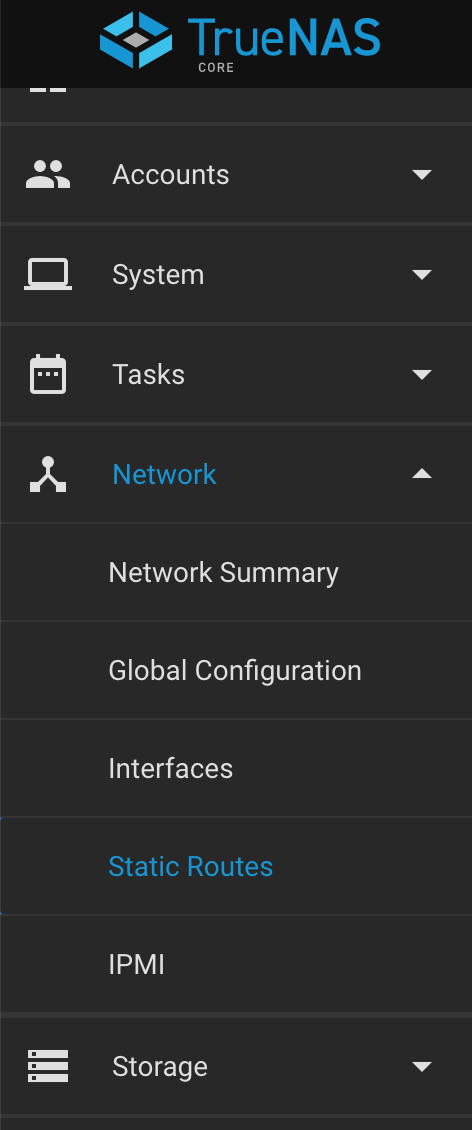
The left main menu in TrueNAS core with the Network tab expanded and the Static Routes tab within Network selected
From the Static Routes screen, click Add in the top right of the new screen. After that the following form will appear:
| Setting | Value | Description |
|---|---|---|
| Destination | string | Use the format A.B.C.D/E where E is the CIDR mask. In the example above it would be 172.16.0.0/24 |
| Gateway | string | Enter the IP address of the LAN gateway that holds the route to the VPN clients. In the example above it would be 10.0.0.150 (.150 is my gateway) |
| Description | string | Notes or identifiers describing the route. |
After the fields are populated correctly, click “Submit” and the VPN connections should now be able to reach the TrueNAS core device.