Buildout Overview
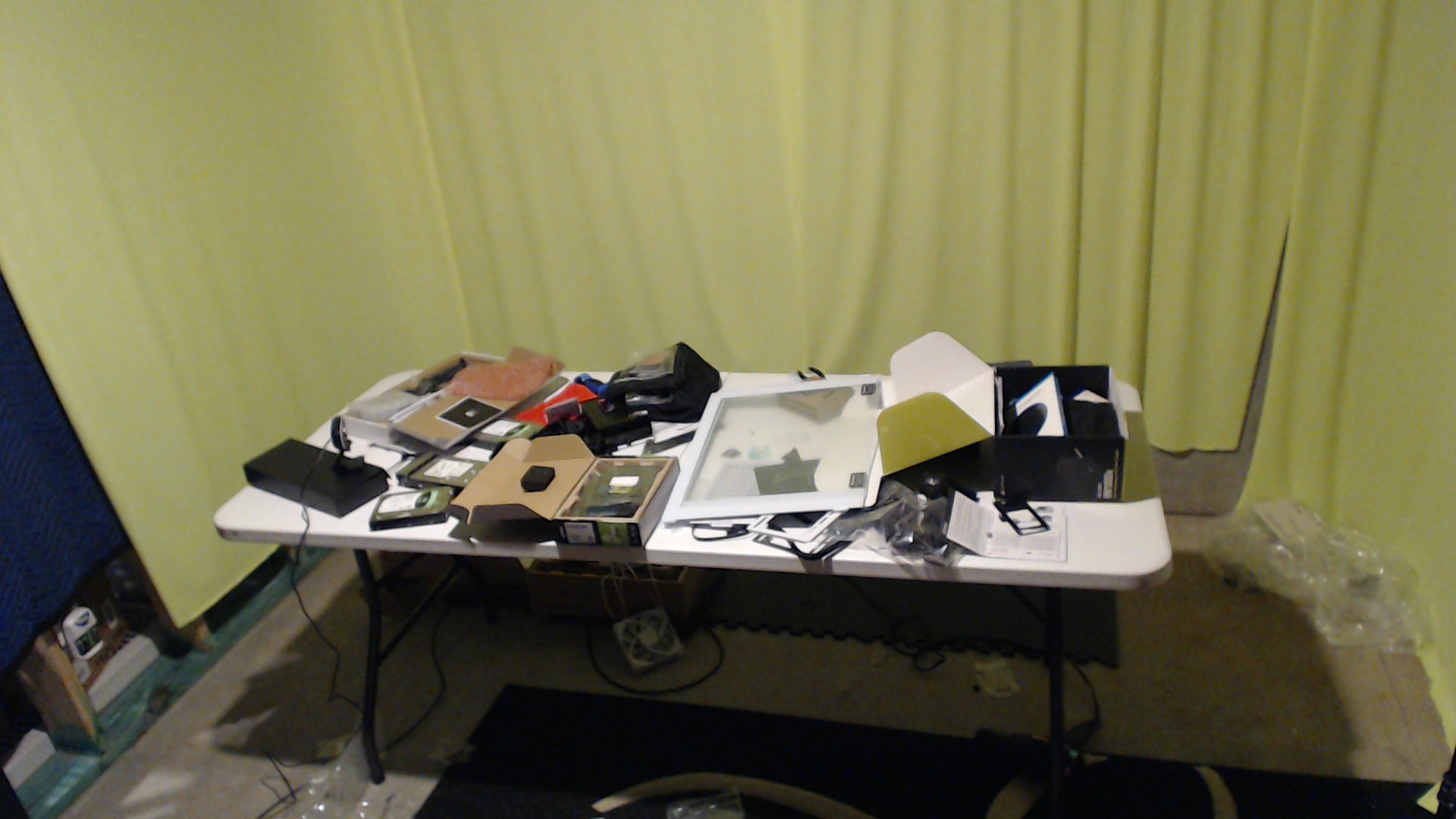
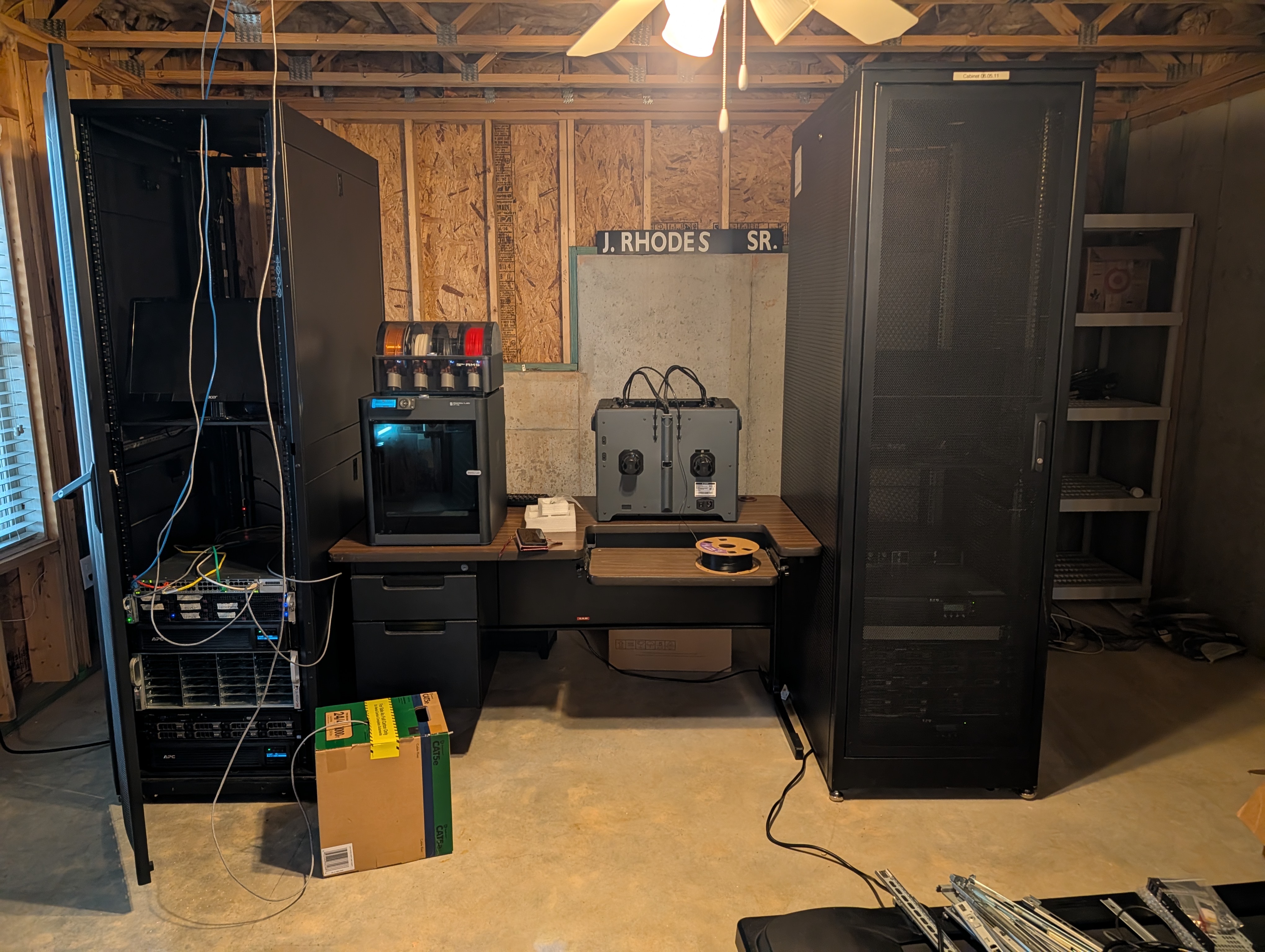
The basement is now doing two jobs at once: studio and server host. The studio is intentionally simple, just a green screen wall and a demo table, because the focus is repeatable technical demonstrations across multiple industry verticals. Right behind that space is the local compute footprint that powers the demos.
This buildout now includes two custom Tenstorrent server paths mixed into my existing NVIDIA-enabled and general-purpose server stack. The point is not to build isolated one-off demos, but to create a reusable local platform that can be switched between demo scenarios with minimal rework.
The broader architecture is hybrid by design. I want the same local inference flow to run with multiple cloud providers, plus a purely local mode when needed. That gives us a practical way to show customers and internal teams what edge-first compute can do, and where cloud orchestration adds value.
Terminology Rule
Private Cloudmeans self-hosted infrastructure in my server room.Localmeans local-only execution paths and equivalent services running in Kubernetes.- This write-up consistently uses
Private CloudorLocalterminology based on context.
Private Cloud Topology
flowchart LR
  subgraph Studio["Studio Room"]
    CamA["Camera A"]
    CamB["Camera B"]
    WinRTSP["Windows RTSP Host"]
  end

  subgraph Server["Private Cloud Server Room"]
    TrueNAS["TrueNAS Storage Host"]
    TT["Tenstorrent Servers (Wormhole + Blackhole)"]
    Nvidia["NVIDIA Servers"]
    Proxmox["Proxmox Hosts"]

    subgraph K8sA["Kubernetes Edge Cluster"]
      Ingest["RTSP Ingest Service"]
      Broker["Message Broker"]
      Runtime["Unified Edge Inference Runtime"]
      Flows["Event Processing Pipeline"]
      ObsEdge["Edge Observability"]
    end
  end

  CamA -- "RTSP" --> WinRTSP
  CamB -- "RTSP" --> WinRTSP
  WinRTSP -- "RTSP relay" --> Ingest
  Ingest -- "frame topics" --> Broker
  Broker -- "frame contracts" --> Runtime
  Runtime -- "detections/traffic" --> Flows
  Runtime -- "health" --> ObsEdge

  TT --> Runtime
  Nvidia --> Runtime
  Proxmox -- "hosts cluster nodes" --> Runtime
  TrueNAS --> Ingest
  TrueNAS --> Flows
Azure Integration View
flowchart LR
  subgraph Edge["Private Cloud Edge Runtime"]
    Ingest["RTSP Ingest Service"]
    Runtime["Unified Edge Inference Runtime"]
    Package["Event Packaging + Thresholding"]
  end

  subgraph Azure["Azure Platform"]
    MQTT["IoT Operations MQTT Broker"]
    Flows["IoT Operations Data Flows"]
    Hot["Hot Path Stream Processing"]
    Alerts["Alert Rules + Notifications"]
    Fabric["Fabric Eventstream"]
    Foundry["Microsoft Foundry Endpoint"]
    subgraph Cold["Cold Path (Medallion Architecture)"]
      Bronze["Bronze Lakehouse"]
      Silver["Silver Lakehouse"]
      Gold["Gold Lakehouse"]
    end
    PBI["Power BI Dashboard"]
  end

  Ingest --> MQTT
  MQTT --> Runtime
  Runtime --> Package
  Package --> Flows

  Flows -- "hot path" --> Hot
  Hot --> Alerts

  Flows -- "cold path" --> Fabric
  Fabric --> Bronze
  Bronze --> Silver
  Silver --> Gold
  Gold --> PBI

  Flows -- "cloud verify" --> Foundry
  Foundry -- "verification feedback" --> Flows
Control Plane Overlay (Azure + Private Cloud)
flowchart LR
  Arc["Azure Arc"]
  Flux["Flux GitOps"]
  Policy["Policy + Config Baselines"]
  EdgeK8s["Private Cloud Kubernetes Cluster"]
  EdgeRuntime["Unified Edge Inference Runtime"]
  EdgeFlow["Event Processing Pipeline"]
  AzureSvc["Azure Integration Services"]

  Arc --> Flux
  Flux --> Policy
  Policy -. "deploy + reconcile" .-> EdgeK8s
  Arc -. "governance + extensions" .-> EdgeK8s
  Arc -. "service policy" .-> AzureSvc
  EdgeK8s --> EdgeRuntime
  EdgeK8s --> EdgeFlow
flowchart LR
  A["Solid arrow: data plane"] --> B["Dashed arrow: control plane"]
  C["RTSP: camera transport"] --> D["MQTT: edge message bus"]
  D --> E["Kafka/HTTPS: cloud egress"]
AWS Integration View
flowchart LR
  subgraph Edge["Private Cloud Edge Runtime"]
    Flows["Event Processing Pipeline"]
  end

  subgraph AWS["AWS Platform"]
    IoTCore["IoT Core"]
    SiteWise["SiteWise"]
    GG["Greengrass"]
    SSM["Systems Manager"]
    Bedrock["Bedrock"]
    AwsOps["CloudWatch Dashboards"]
  end

  Flows -- "telemetry bridge" --> IoTCore
  IoTCore --> SiteWise
  IoTCore --> GG
  SSM -- "fleet ops" --> GG
  Bedrock -- "model artifacts" --> GG
  GG --> AwsOps
Local-Only Implementation (Specific Self-Hosted Tools)
flowchart LR
  Cam["RTSP Cameras"] --> MediaMTX["MediaMTX (RTSP ingest/relay)"]
  MediaMTX --> EMQX["EMQX (MQTT frame contracts)"]

  subgraph K3s["K3s Edge Runtime"]
    TTWorker["TT-Forge Inference Worker"]
    NVWorker["Triton Inference Worker"]
  end

  EMQX --> TTWorker
  EMQX --> NVWorker
  TTWorker --> Redpanda["Redpanda (event publish)"]
  NVWorker --> Redpanda
  Redpanda --> Flink["Apache Flink (thresholding + enrichment)"]
  Flink --> MinIO["MinIO (packaged frame/event artifacts)"]
  Flink --> ClickHouse["ClickHouse (cold analytics store)"]
  Flink --> Alertmanager["Alertmanager (hot alerts)"]

  TTWorker --> Prom["Prometheus + Loki (health metrics)"]
  NVWorker --> Prom
  EMQX --> Prom
  Flink --> Prom
  ClickHouse --> Grafana["Grafana (local ops dashboards)"]
  Alertmanager --> Grafana
  Prom --> Grafana
In this local view, each stage is concrete and self-hosted, but still interchangeable by contract. The handoff boundaries are RTSP ingest, MQTT frame topics, event stream topics, and packaged artifact output.
Physical Lab and Studio Layout
The studio side is optimized for fast context switching. I can record walkthroughs, run live demos, and pivot from one vertical scenario to another without rebuilding the room. The server side is optimized for shared hardware utilization across those same scenarios.
This setup makes it easier to:
- Reuse the same edge hardware for multiple business demos.
- Keep model and telemetry pipelines consistent across environments.
- Demonstrate cloud-assisted operations without requiring cloud-only inference.
- Keep local fallback paths available when connectivity is constrained.
flowchart LR
  subgraph StudioRoom["Studio Room"]
    CamWide["Camera A (wide)"]
    CamClose["Camera B (table)"]
    RTSPHost["Windows RTSP Host"]
  end

  subgraph ServerRoom["Server Room"]
    TrueNASHost["TrueNAS Host"]
    Prox1["Proxmox Host 1"]
    Prox2["Proxmox Host 2"]
    K8sCP["K8s Control Plane Host"]
    K8sWTT["K8s Worker Host (TT)"]
    K8sWNV["K8s Worker Host (NVIDIA)"]
    Mon["Grafana Monitoring Wall"]
  end

  CamWide -- "RTSP feed" --> RTSPHost
  CamClose -- "RTSP feed" --> RTSPHost
  RTSPHost -- "RTSP relay" --> K8sCP
  K8sCP --> K8sWTT
  K8sCP --> K8sWNV
  TrueNASHost --> K8sWTT
  TrueNASHost --> K8sWNV
  Prox1 --> K8sCP
  Prox2 --> K8sWNV
  K8sCP --> Mon
  K8sWTT --> Mon
  K8sWNV --> Mon
Current Lab Inventory
Current internal lab components include:
- Windows RTSP stream host
- Wormhole server
- Blackhole server path: staged and not fully onboarded yet
- Two active web cams for a high shot and a low shot
- TrueNAS storage box with two Tesla P400 GPUs running Ollama and other workloads
- Proxmox hosts for general private cloud workloads
The practical goal is to run a mixed accelerator lab where workload placement can be tuned by use case, latency target, and cost profile.
Azure Path: IoT Operations, Arc, and Edge Feedback Loops
On Azure, the control pattern is centered around Azure IoT Operations on Azure Arc-enabled Kubernetes. In the demo repository, this aligns with the Azure/Demo/Shared/AzureInternetOfThingsOperations assets and the shared EdgeInference service.
The local flow is:
- Cameras publish RTSP to the Windows RTSP host.
- The AIO RTSP Adapter ingests RTSP and publishes frames to the local MQTT frame topic.
- Edge inference services consume those frame topics and publish detections, traffic, and enriched messages.
- AIO Data Flows process, normalize, and extract delta events.
- Data Flows push upstream to Fabric RTI and call a Foundry endpoint for cloud verification.
- Results flow into cloud analytics and operations dashboards, with feedback updates pushed back to edge.
In repository terms, that includes topic patterns such as:
tt/edge/{site}/{camera_id}/detectionstt/cloud/{site}/{device_id}/verifytt/cloud/{site}/{device_id}/verify-result
flowchart LR
  RTSPA["AIO RTSP Adapter"] -->|"tt/edge/{site}/{camera_id}/frames"| Edge["Edge Inference Service"]
  Edge -->|"tt/edge/{site}/{camera_id}/detections"| Flows["AIO Data Flows"]
  Edge -->|"tt/edge/{site}/{camera_id}/traffic"| Flows
  Edge -->|"Enriched msg + sampled frame ref"| Flows
  Flows -->|"Delta events (new/lost detections)"| Fabric["Fabric RTI"]
  Flows -->|"Verify request (sampled frame)"| FEP["Foundry Endpoint"]
Operationally, Arc gives me a consistent management surface for local Kubernetes resources and policy. I am also treating GitOps with Flux on Arc-enabled Kubernetes as the default deployment and configuration strategy for repeatability.
One reason this fits the basement buildout well is that Azure IoT Operations is designed as a unified edge data plane with an industrial MQTT broker and supports routing/normalization before cloud fan-out. That maps directly to how I want to keep high-volume inference local while still enabling cloud-side verification, model lifecycle workflows, and cross-site analytics.
For the Fabric path, I am modeling Data Flows publishing directly to Fabric Eventstream through the documented Fabric endpoint configuration (no required Event Hub bridge in this path).
sequenceDiagram
  autonumber
  participant Cam as Camera
  participant Win as Windows RTSP Host
  participant RTSPA as AIO RTSP Adapter
  participant MQTT as AIO MQTT Broker
  participant Edge as Edge Inference Service
  participant Flow as AIO Data Flows
  participant FReg as Foundry Registry
  participant FTrain as Foundry Distill/Train
  participant FEP as Foundry Endpoint
  participant Fabric as Fabric Eventstream
  participant Log as Log Analytics
  participant Ops as Ops Dashboards

  Cam->>Win: RTSP stream
  Win->>RTSPA: RTSP relay
  RTSPA->>MQTT: Publish frame topic
  MQTT->>Edge: Consume frame topic
  Edge->>MQTT: Publish detections topic
  Edge->>MQTT: Publish traffic topic
  Edge->>MQTT: Publish enriched message + sampled frame ref
  MQTT->>Flow: Route edge topics

  alt Cloud connected
    Flow->>FEP: Verify request (sampled frame + context)
    alt Verify success
      FEP-->>Flow: Verify response
      Flow->>Fabric: Push extracted delta events (new/lost detections)
      Flow->>Fabric: Push verified analytics events
      Flow->>Log: Push ops metrics
      Flow->>Ops: Update cloud dashboards
    else Verify timeout/error
      Flow->>Flow: Retry with backoff
      Flow->>Log: Emit verify_failure metric
      Flow->>Ops: Raise verify alert
    end
  else Cloud unavailable (offline window)
    Flow->>Flow: Buffer and compact delta events
    Flow->>Log: Emit offline_mode metric
    Flow->>Ops: Raise cloud_disconnect alert
  end

  FReg->>FTrain: Model lineage + artifacts
  FTrain->>FEP: Deploy candidate verify model
  FEP-->>Edge: Model and threshold feedback rollout
flowchart LR
  A["RTSP = ingest transport"] --> B["MQTT = edge bus"]
  B --> C["Kafka endpoint = Fabric ingress"]
  D["Delta event = object newly detected or no longer detected"] --> E["Enriched msg = detection + frame reference + context"]
AWS Path: Greengrass, IoT Core, SiteWise, Systems Manager, and Bedrock
On AWS, the equivalent pattern uses:
- AWS IoT Greengrass for edge runtime orchestration.
- AWS IoT Core for secure bi-directional cloud messaging and device state.
- AWS IoT SiteWise for industrial telemetry modeling, transforms, and monitoring.
- AWS Systems Manager for hybrid fleet operations, patching, and command execution.
- Amazon Bedrock as part of the cloud-side model specialization and distillation path.
The AWS side in the demo repository is organized to mirror Azure demo shape where possible, including shared vertical scenarios and analytics assets. The intent is to keep edge behavior portable while changing only cloud control-plane integrations.
At a high level:
- Local inference continues at the edge.
- Edge messaging bridges into AWS IoT Core patterns.
- Industrial telemetry and KPI modeling feed SiteWise analytics.
- Operations and lifecycle tasks route through Systems Manager.
- Distilled cloud-side model workflows can feed edge deployment artifacts.
This gives us realistic AWS parity for customer conversations where cloud preference is fixed but the edge architecture should stay consistent.
sequenceDiagram
  participant Cam as Camera
  participant Edge as Tenstorrent Edge Workload
  participant GG as AWS IoT Greengrass
  participant Core as AWS IoT Core
  participant SW as AWS IoT SiteWise
  participant SSM as AWS Systems Manager
  participant BR as Amazon Bedrock

  Cam->>Edge: Local Frames
  Edge->>GG: Inference Output
  GG->>Core: Telemetry Publish
  Core->>SW: Rules to Asset Models
  SSM-->>Edge: Patch and Command Ops
  BR-->>Edge: Distilled Model Artifacts
Cross-Provider Pattern
The architecture pattern stays the same even when control planes differ:
| Layer | Azure | AWS |
|---|---|---|
| Edge inference runtime | Tenstorrent edge service on local K8s | Tenstorrent workloads under Greengrass-managed edge runtime |
| Edge messaging | IoT Operations MQTT broker | IoT Core and Greengrass local messaging patterns |
| Fleet and policy | Arc-enabled infrastructure and GitOps | Systems Manager + IoT fleet operations |
| Industrial analytics | Event flow to cloud analytics services | SiteWise asset model and telemetry analytics |
| Model lifecycle | Cloud verification + model workflows | Bedrock-assisted distillation workflows |
This is the core reason for the buildout: one local edge core, multiple cloud orchestration options, and a purely local fallback.
flowchart TB
  subgraph Core["Shared Edge Core"]
    Ingest["RTSP ingest + frame contracts"]
    TT["TT inference"]
    NV["NVIDIA inference"]
    Publish["Event publish + thresholding"]
    Health["Health metrics"]
    Package["Packaging"]
    Ingest --> TT
    Ingest --> NV
    TT --> Publish
    NV --> Publish
    Publish --> Health
    Health --> Package
  end

  subgraph AZ["Azure Integration"]
    AIO["IoT Operations"]
    Arc["Arc"]
    Fabric["Fabric RTI"]
    Foundry["Foundry"]
  end

  subgraph AW["AWS Integration"]
    GG["Greengrass"]
    CoreIoT["IoT Core"]
    SW["SiteWise"]
    SSM["Systems Manager"]
    BR["Bedrock"]
  end

  subgraph LOC["Local Integration"]
    LMQTT["Local MQTT"]
    LVerify["Local verify"]
    LAnalytics["Local analytics"]
    LOps["Local ops"]
  end

  Publish --> AIO
  Publish --> CoreIoT
  Publish --> LMQTT

  AIO --> Fabric
  AIO --> Foundry
  Arc -. "policy/deploy" .-> AIO

  CoreIoT --> GG
  CoreIoT --> SW
  SSM -. "fleet control" .-> GG
  BR --> GG

  LMQTT --> LVerify
  LMQTT --> LAnalytics
  LAnalytics --> LOps

  Foundry -- "model + threshold updates" --> Package
  BR -- "model updates" --> Package
  LVerify -- "local policy updates" --> Package
flowchart LR
  Build["Build"] --> Pack["Package"]
  Pack --> Deploy["Deploy"]
  Deploy --> Observe["Observe"]
  Observe --> Tune["Tune"]
  Tune --> Rollout["Rollout"]
  Rollout --> Deploy
  Observe --> Reach{"Cloud reachable?"}
  Reach -- "yes" --> Hybrid["Hybrid mode"]
  Reach -- "no" --> LocalOnly["Local-only mode"]
  LocalOnly --> Buffer["Buffer + local analytics"]
  Buffer --> Recover["Backfill on reconnect"]
  Recover --> Hybrid
First Milestone
The first milestone for this personal buildout is to get Azure IoT Operations fully wired to local Tenstorrent inference in a closed loop:
- Ingest local RTSP streams into the edge inference service.
- Run local inference on the Tenstorrent host.
- Publish structured detections into IoT Operations topics.
- Forward selected events or sampled frames for cloud verification.
- Return verification and analytics outcomes to operational dashboards.
- Push updated thresholds and model-management decisions back to the edge.
This gives a concrete demonstration of edge inference plus cloud feedback rather than edge-only or cloud-only narratives.
flowchart TD
  A["RTSP Ingest"] --> B["Tenstorrent Inference"]
  B --> C["Publish to IoT Ops Topics"]
  C --> D["Cloud Verification and Analytics"]
  D --> E["Feedback to Edge Policies and Thresholds"]
Next Steps
- Complete Blackhole onboarding and benchmark against current Wormhole and NVIDIA paths.
- Harden deployment automation across Azure and AWS for faster scenario switching.
- Expand vertical demo packs so the same local hardware can represent more business contexts.
- Add stronger runbook-level operational checks for edge health, topic flow integrity, and model rollout safety.
References
- Azure IoT Operations overview
- Configure Azure IoT Operations Fabric endpoint
- Azure Arc overview
- Azure Arc-enabled Kubernetes overview
- GitOps with Flux v2 on Azure Arc-enabled Kubernetes
- AWS IoT Greengrass overview
- AWS IoT Core overview
- AWS IoT SiteWise overview
- AWS Systems Manager overview
- Amazon Bedrock overview
- Tenstorrent documentation home
- Tenstorrent TT-Forge documentation
- Tenstorrent Wormhole hardware
- Tenstorrent Blackhole hardware