If you published your Azure function from Visual Studio and are seeing the message:
Your app is currently in read-only mode because you have published a generated function.json
Then do the following steps:
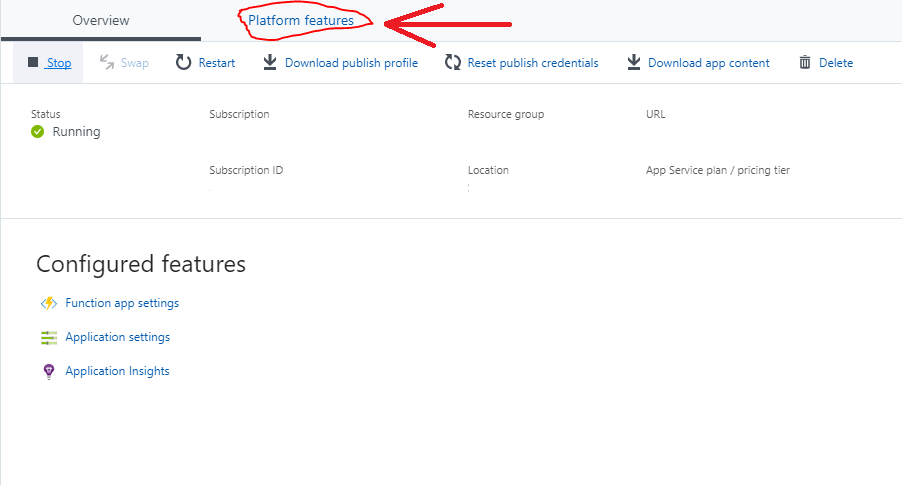
From the functions page click Platform Features.
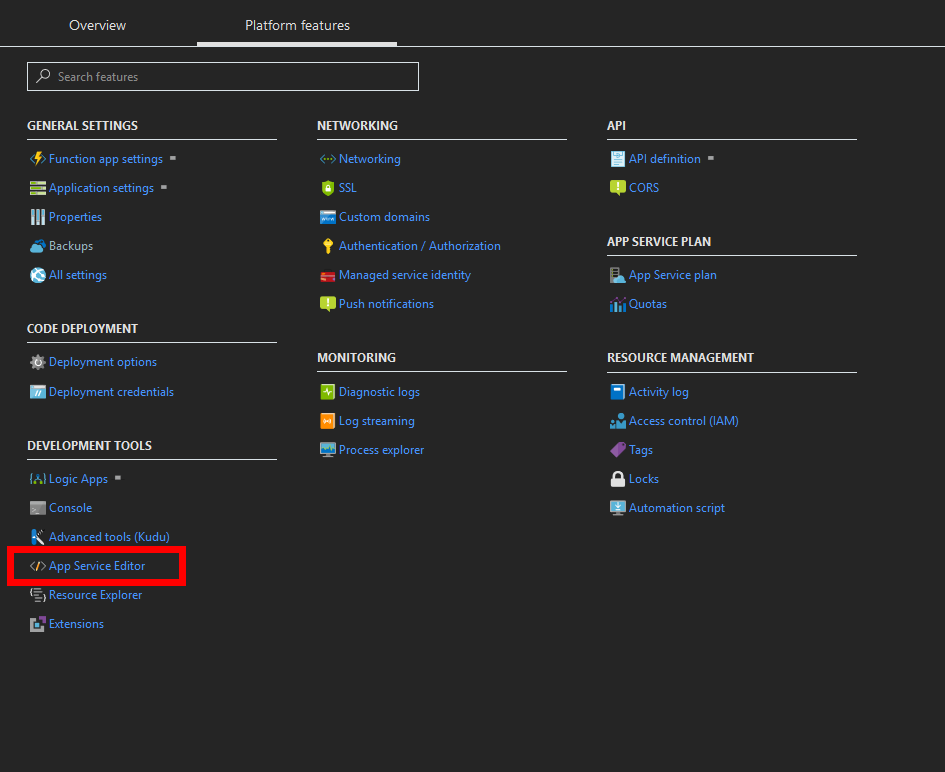
After you go to the platform features page, click on App Service Editor
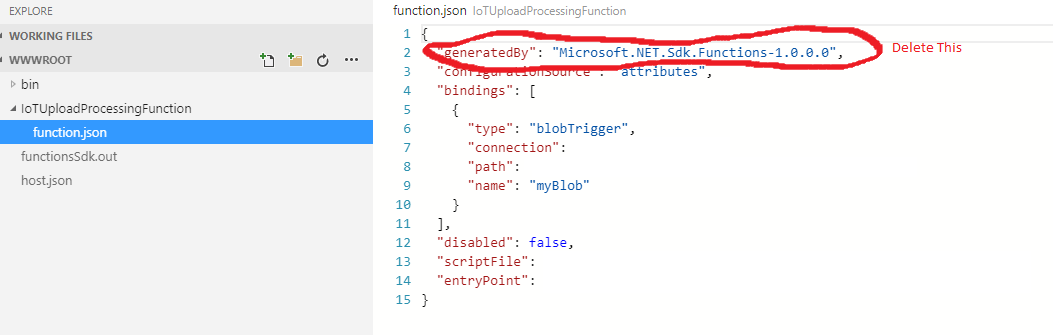
 After that, find your function in the list of functions. In the image below the function name is “IoTUploadProcessingFunction”. Expand the files underneath it and select the function.json file. Delete the line “generatedBy”: “Microsoft.NET.Sdk.Functions-1.0.0.0”.
After that your function should be running. If not go back to the functions screen in Azure and start it.